Autorotate Display
Making a desktop monitor rotate itself, just like a smartphone
If you’ve ever needed to rotate your monitor vertically or horizontally for some reason, you might have found the process to be quite inconvenient.
This device makes it easy to rotate monitors, just like a smartphone.
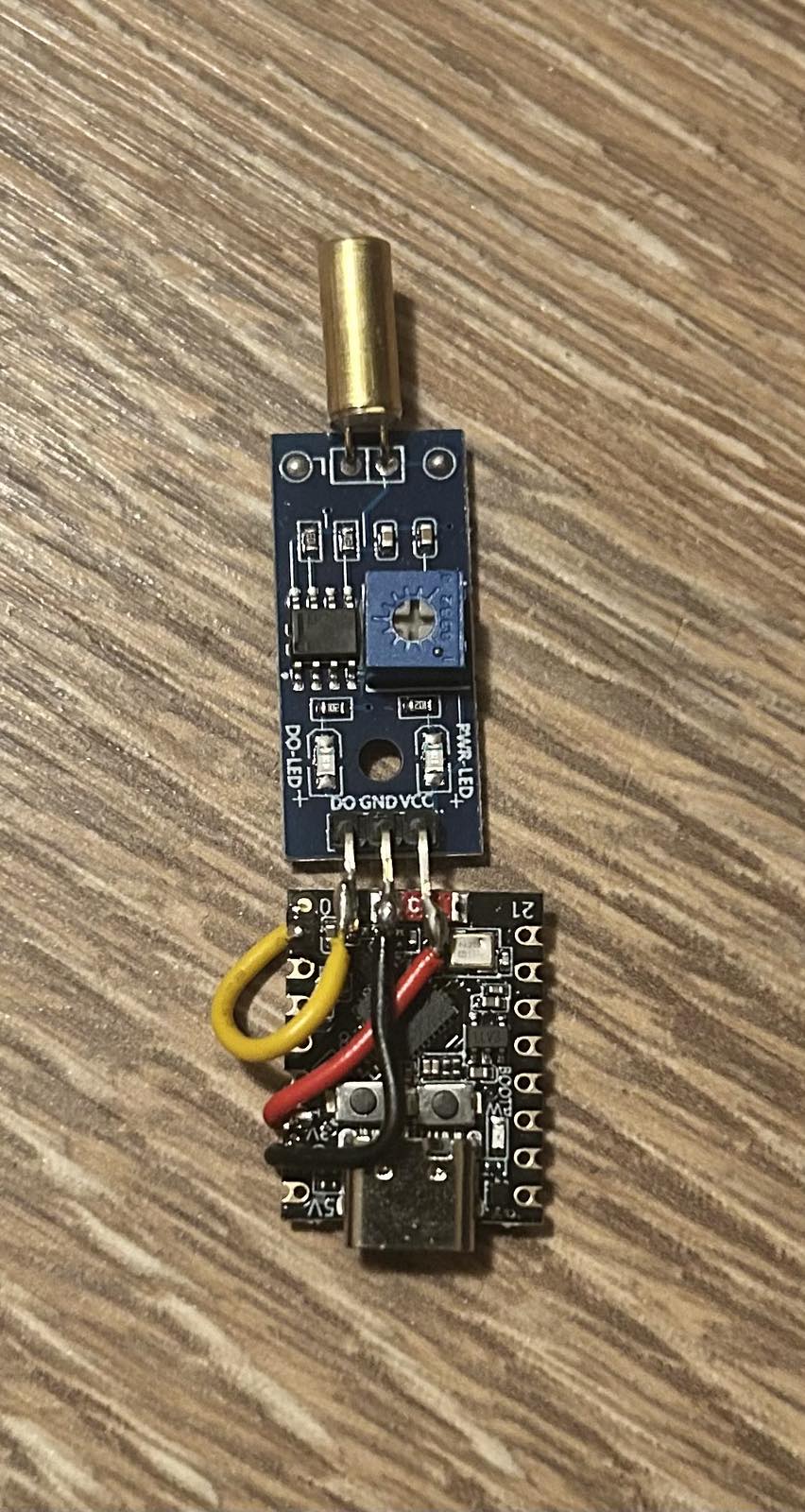
How it works
Hardware design
This functionality can be accomplished with two things:
- A sensor, attached to the back of the monitor, that senses when the monitor rotates from vertical to horizontal, or vice versa.
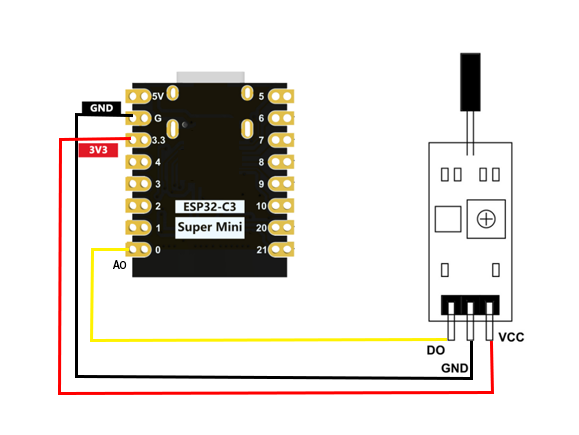
- A microcontroller that reads the sensor’s output and provides power to the sensor.
The following components were chosen:
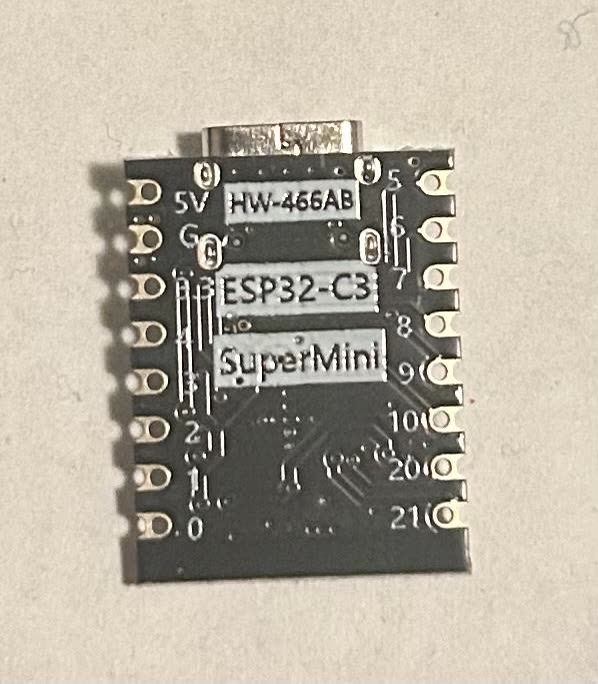
The ESP32-C3 SuperMini was chosen for its compact size, low power requirement, and affordable price. It is also feature-rich, which leaves room for additional functionality in the future if needed.
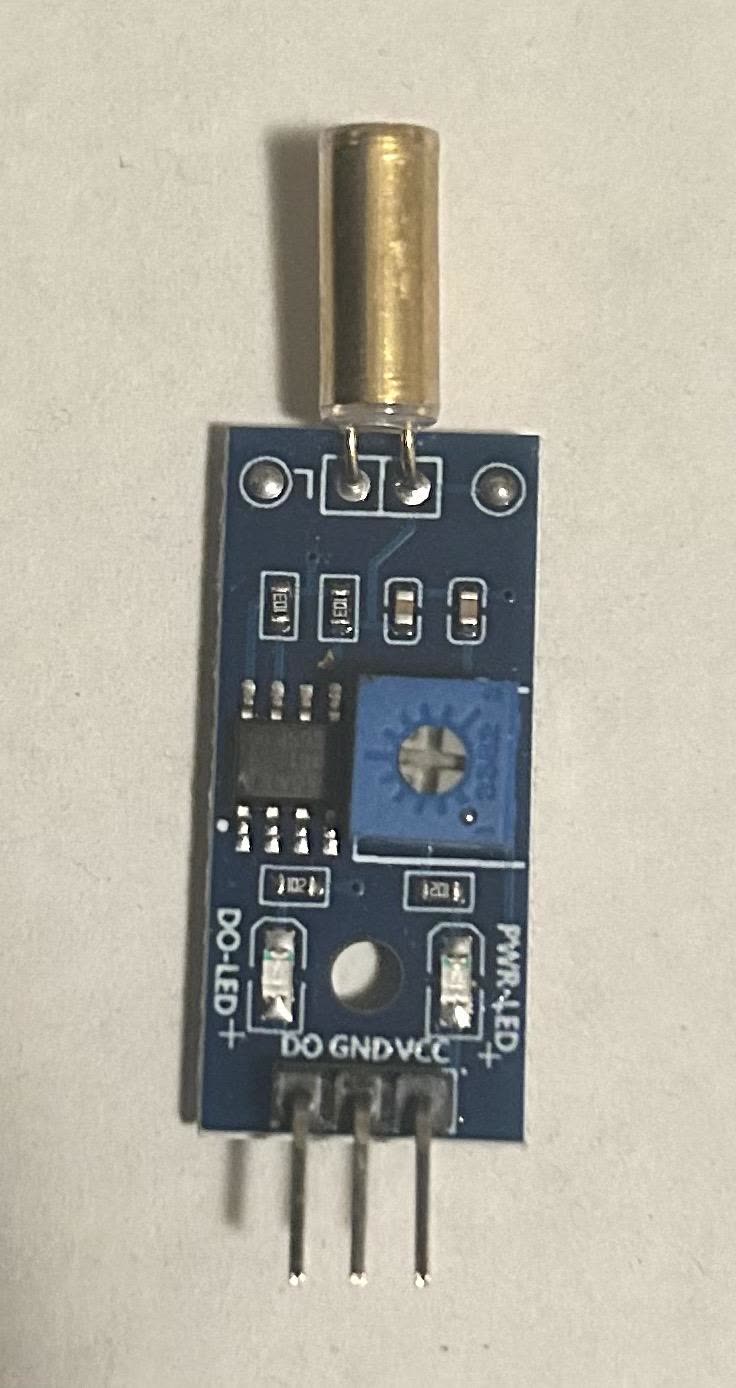
The SW-520D is a simple contact-type tilt sensor used to detect planar movement. Its job is to detect the shift from horizontal to vertical and send a signal when it happens.
Software and firmware
Implementation requires communication between the microcontroller and the computer. This is achieved by:
- A Python script (
listener.py) that runs on Windows startup and listens on a USB serial port (COM3in this case). - The microcontroller firmware (
firmware.ino), running in a loop, waits for the tilt sensor’s state to change. When it does, it sends the new orientation, eitherPORTRAITorLANDSCAPE, over the same port. listener.pylooks up the matching command and callsdisplay64.exe(a command-line program that controls monitor orientation) to rotate the screen.
The device only ever reports which way the monitor is
facing; it never sends a command to run. Deciding what to do with
that information is left to the PC. This keeps the serial port from
becoming a way to run arbitrary programs on the computer, and it means
the monitor number and rotation angles live in one easy-to-edit place in
listener.py instead of requiring the board to be
re-flashed.
firmware.ino
volatile bool state = LOW;
volatile bool stateChanged = false;

void IRAM_ATTR setOrientation() {
  state = digitalRead(A0);
  stateChanged = true;
}

void setup() {
  Serial.begin(115200);
  pinMode(A0, INPUT);
  attachInterrupt(digitalPinToInterrupt(A0), setOrientation, CHANGE);
}

void loop() {
  if (stateChanged) {
    if (state == LOW) {
      Serial.println("LANDSCAPE");
    } else {
      Serial.println("PORTRAIT");
    }
    delay(5000);
    stateChanged = false;
  }
}
listener.py
import subprocess
import serial

# CHANGE THIS to your ESP32's serial port
SERIAL_PORT = "COM3"            # Windows
# SERIAL_PORT = "/dev/ttyUSB0"  # Linux/macOS
BAUD_RATE = 115200

# CHANGE THESE to match your setup
DISPLAY_TOOL = r".\display64.exe"
MONITOR = "2"

# The only commands this script will ever run
COMMANDS = {
    "PORTRAIT":  [DISPLAY_TOOL, "/device", MONITOR, "/rotate", "90"],
    "LANDSCAPE": [DISPLAY_TOOL, "/device", MONITOR, "/rotate", "0"],
}


def main():
    with serial.Serial(SERIAL_PORT, BAUD_RATE, timeout=1) as ser:
        print(f"Listening on {SERIAL_PORT}...")
        while True:
            message = ser.readline().decode(errors="ignore").strip()
            command = COMMANDS.get(message)
            if command:
                print(f"{message}: running {' '.join(command)}")
                subprocess.run(command)  # no shell, fixed arguments
            elif message:
                print(f"Ignoring unknown message: {message!r}")


if __name__ == "__main__":
    main()
Testing and results
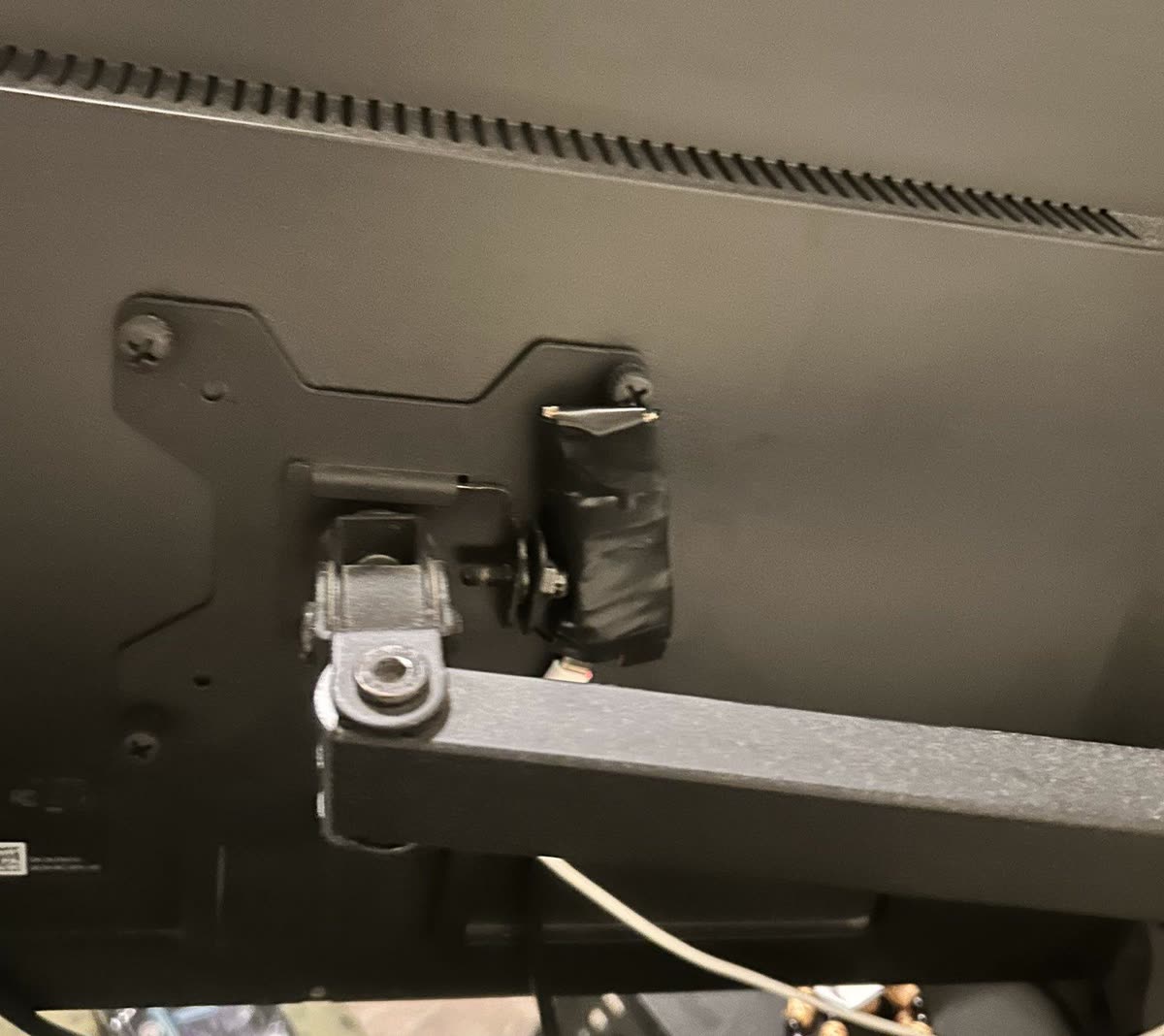
During initial testing, there was an issue getting a stable connection from the ESP32 to the computer: the module would constantly disconnect and reconnect.
After some research, it turned out that an ESP32-C3 with no firmware loaded behaves this way. The fix was to hold the BOOT button while pressing RESET, which puts the board into download mode so firmware can be flashed.
Testing showed a saving of about 15 seconds and 6+ mouse clicks every time the screen is rotated. The quality-of-life improvement also feels very satisfying.
Considerations
This is a proof of concept. In order of priority, the next improvements are:
- Fix contact bounce. The SW-520D is a rolling-ball switch, so each turn produces a burst of signals. The firmware reports the first one and ignores the rest during its 5-second pause, so the screen can end up in the wrong orientation. Re-reading the pin after about 200 ms, and only sending real changes, would fix this and cut the response time to under a second. The device should also report its orientation at power-up.
- Make the PC side more robust.
listener.pycrashes if the device is unplugged and doesn’t reconnect. The COM port (COM3) and monitor number (/device 2) are hard-coded, and Windows can change both after a reboot or re-plug. No tests are written yet. - Plug-and-play. Windows natively supports
orientation sensors over HID, which could remove the need for
listener.pyanddisplay64.exe. The ESP32-C3’s USB port only works as a serial port, so this would need Bluetooth HID or a board with native USB, such as the ESP32-S3. It also needs testing whether Windows applies this to external monitors. - Go wireless. The ESP32-C3’s Bluetooth or Wi-Fi would remove the data cable, though the board would still need power from the monitor’s USB port or a battery.